Sim Room Fit

Golf Simulator Cost Calculator

A home golf simulator costs anywhere from a few hundred dollars to well past ten thousand, and the honest answer is a band per component, not one number. Pick the tier you are aiming at for each part and the tool adds up an itemised range, so you can see which component is doing the damage.

Bands sampled 23 Oct 2026 from real list prices (methodology page lists them). They plan a budget; the merchant's page has the live price.

Your cost band

Launch monitor-
Screen or enclosure-
Projector-
Mat and flooring-
Computer-
Software, first year-
Total-

Two components from the bands above, as examples that meet the spec. The full monitor examples live on the launch monitor finder.

GoSports Golf Simulator Impact Screen

GoSports
Research based comparison
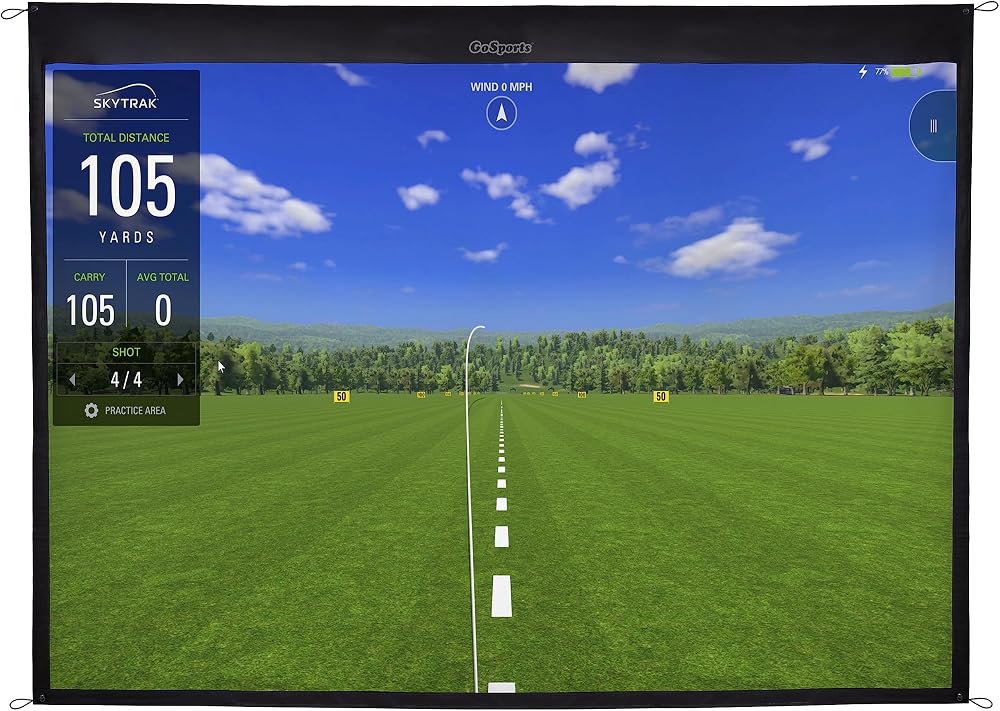
GoSports golf simulator impact screen showing a virtual driving range

The entry screen example. A woven polyester impact screen with grommets for hanging in a frame or enclosure, sold in several sizes (the listing shown is the 7 ft class). Hang any impact screen with clearance behind it: Carl's Place's manuals put the gap at 6 to 12 inches for standard enclosures and 12 to 16 inches for pro enclosures.

  • Several sizes; match the size to the screen calculator's class
  • Grommeted edges for bungee mounting
  • Projection surface and ball stopper in one

Product data last checked 2026-10-23. Prices are shown only on the merchant's own page.
What we like: GoSports Golf Simulator Impact Screen

  • Cheapest way to a projected image
  • Replaceable when the hitting zone wears

What could be better: GoSports Golf Simulator Impact Screen

  • Single layer screens are louder and bounce more than premium triple layer screens

BenQ TK700STi 4K Gaming Projector

BenQ

Research based comparison
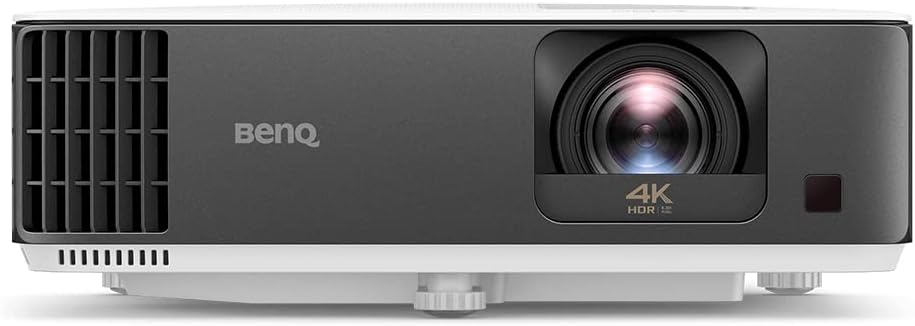
BenQ TK700STi 4K projector, front view

The projector example named in the throw calculator. A 4K gaming projector with a short throw lens (about 0.90 to 1.08 to 1 by BenQ's specification), 3,000 lumens class brightness and low input lag. Run your image width through the projector calculator before choosing any projector: throw ratio, not resolution, decides whether it fits your room.

  • Throw ratio about 0.90 to 1.08 to 1 (BenQ specification)
  • 4K UHD, gaming input lag modes
  • Ceiling mountable

Product data last checked 2026-10-23. Prices are shown only on the merchant's own page.

What we like: BenQ TK700STi 4K Gaming Projector

  • Short enough throw for most simulator rooms
  • Bright enough for a lit garage with the lights dimmed

What could be better: BenQ TK700STi 4K Gaming Projector

  • Longer throw than ultra short throw models, so check the shadow result

How the cost bands are set

Each band is an editorial range sampled on 23 Oct 2026 from real prices, and the anchors are named on the methodology page: monitors from the Garmin Approach R10 at $499.99 through the SkyTrak+ at $1,995 to the Uneekor EYE XO at $6,499; DIY enclosures at Carl's Place's $1,000 to $1,875; the BenQ TK710STi projector at $2,199; mats at $500 to $1,060 for the Carl's HotShot class. Prices move, so the bands are planning ranges, never quotes: the merchant's page always has the live figure, and this site never displays one.

Worked examples

Playable on a budget

Entry monitor and mat, no projector or computer (phone class monitor, TV display).

$550 to $1,000 before a screen: the floor of a measured setup

The mid build

Every component at mid tier.

$4,400 to $9,000 in total, itemised in the tool

Where premium goes

Premium monitor alone.

$4,000 to $8,000: one component can out-cost a whole mid build

Frequently asked questions

How much does a home golf simulator cost in total?
A measured setup starts around $550 to $1,000 with an entry radar monitor and a mat, hitting into a net or TV. A full mid build with screen, projector and computer runs about $4,400 to $9,000 in our October 2026 bands. Premium builds pass $10,000, mostly on the monitor.
What is the most expensive part of a golf simulator?
The launch monitor, at every level above entry. Screens, projectors and mats differ by hundreds of dollars between tiers; monitors differ by thousands. That is why this site plans the room and the monitor class first.
Can I build in stages instead of all at once?
Yes, and most people should. The setup planner on this site splits the same bands into Phase 1 playable (monitor, screen, mat), Phase 2 comfort (projector, computer) and Phase 3 premium (software), so the first spend already has you hitting balls.
Why does the tool show ranges instead of prices?
Because prices change weekly and differ by seller, while a planning band stays honest for months. Amazon prices are never displayed on this site; the Check price buttons show the live figure on Amazon's own page.

Related tools

Disclaimer: Estimate only. Verdicts follow the manufacturers' published setup figures; test-swing in the room before you buy anything.

Use this tool on your own site

Free to embed. Paste this code where you want the tool to appear. It carries a small credit link, which is all we ask.