Sim Room Fit

Golf Simulator Setup Planner

Every other tool on this site answers one question. This one answers all of them in order, the way a build actually happens: does the room fit, which monitor class, what screen, where the projector goes, and what to buy in which phase. Change any answer and the whole plan re-runs.

Your room

Your priorities

Your build tiers

Your phased build list

Print this plan or copy the page link: the link carries your answers, so the plan reopens exactly as you left it.

The example products behind the plan's classes and bands. Overhead class examples are usually bought direct, so none is listed here; the finder explains why. Every example is research based and spec first.

Garmin Approach R10

Garmin
Research based comparison
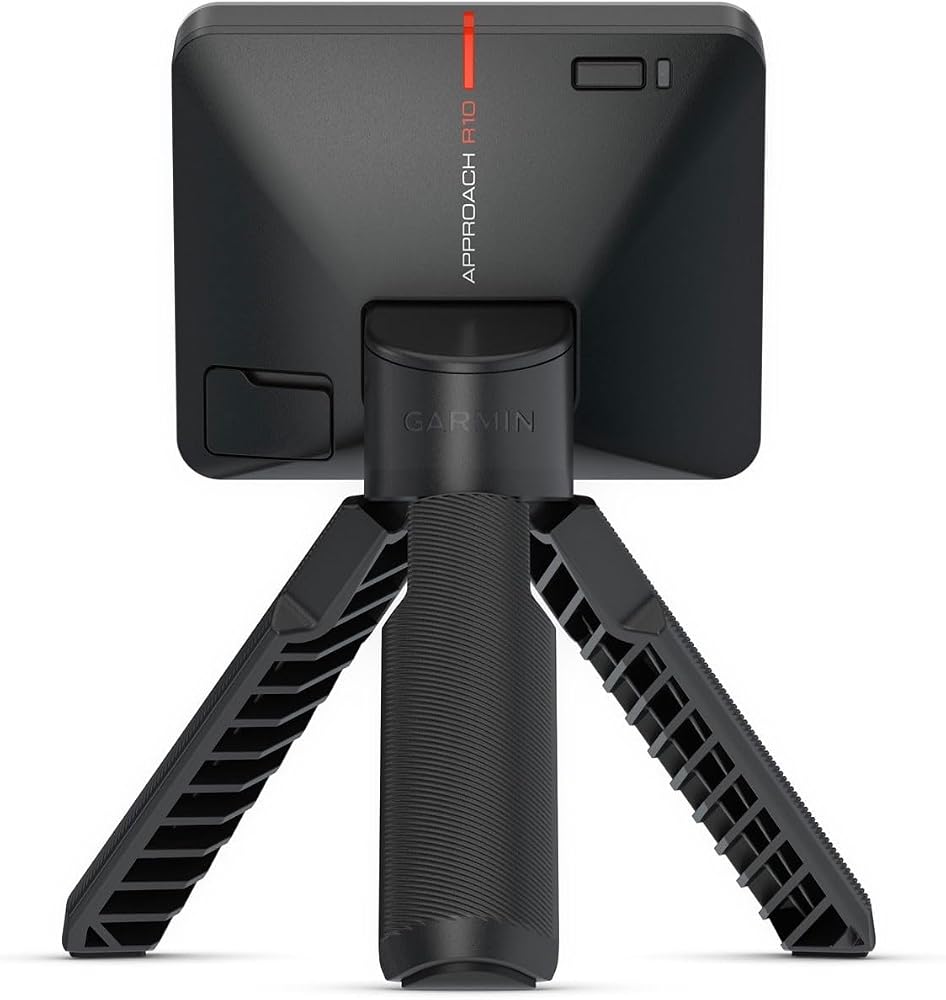
Garmin Approach R10 launch monitor on its tripod

The entry radar example. A portable Doppler radar unit that sits 6 to 8 feet behind the ball, works indoors and outdoors, and reports ball and club metrics through the Garmin Golf app. Indoor spin is calculated unless you use Titleist RCT balls, and simulator putting is assigned rather than measured.

  • Placement: 6 to 8 ft behind the ball (Garmin setup guidance)
  • Indoor and outdoor use, up to 10 hours of battery
  • Ball and club metrics, including club path and face angle

Product data last checked 2026-10-23. Prices are shown only on the merchant's own page.
What we like: Garmin Approach R10

  • Lowest cost way into a measured simulator setup
  • Genuinely portable between room and range

What could be better: Garmin Approach R10

  • Needs about 15 ft of room depth once flight and screen clearance are counted
  • Indoor spin is an estimate without RCT balls

Rapsodo MLM2PRO

Rapsodo

Research based comparison
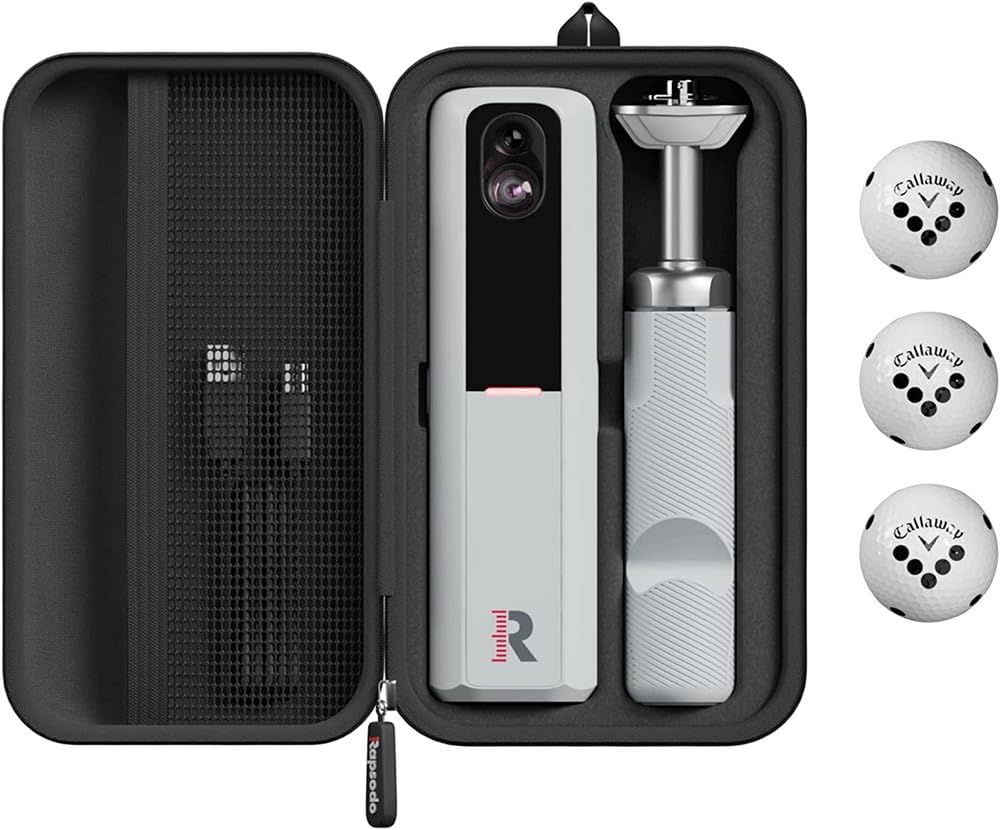
Rapsodo MLM2PRO launch monitor in its carry case with RPT balls

The second entry radar example. Radar plus two cameras, set 7.5 feet behind the ball with at least 8 feet of ball flight to the net. Spin rate and spin axis are measured when you use RPT balls, and the cameras record impact and swing video.

  • Placement: 7.5 ft behind the ball (Rapsodo setup guidance)
  • Measured spin with RPT balls
  • Impact Vision and swing video from its own cameras

Product data last checked 2026-10-23. Prices are shown only on the merchant's own page.
What we like: Rapsodo MLM2PRO

  • Measured spin at an entry price
  • Strong video tools for practice

What could be better: Rapsodo MLM2PRO

  • Full features sit behind a yearly premium membership
  • Needs a little more than 15 ft of room depth in total

FlightScope Mevo+

FlightScope

Research based comparison
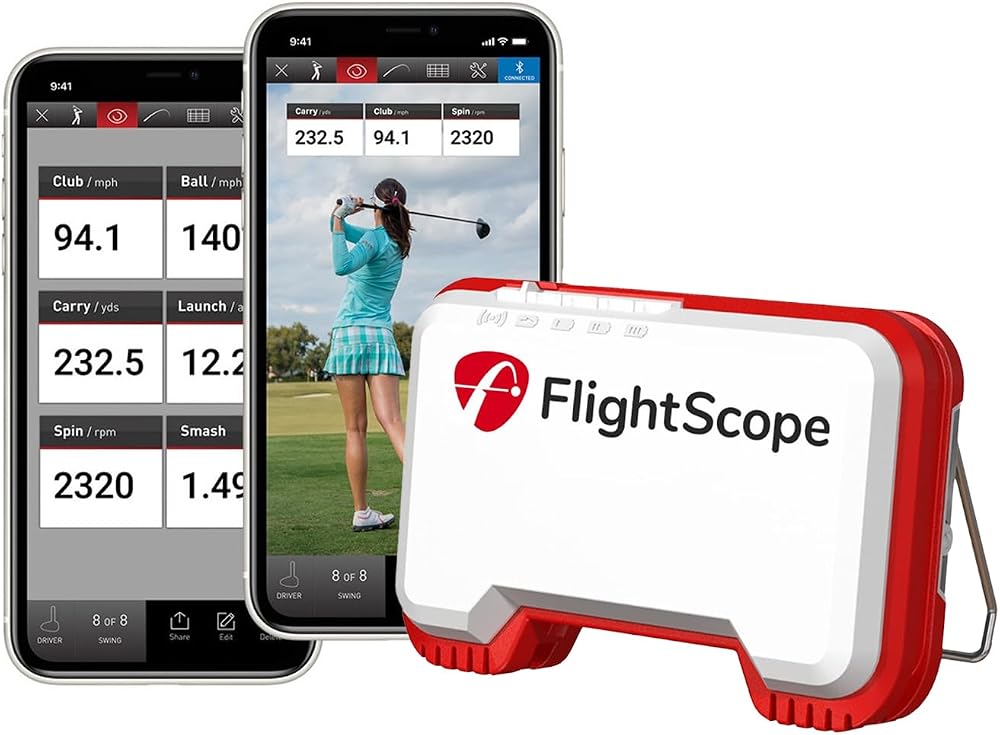
FlightScope Mevo+ launch monitor with the app on two phones

The mid radar example. Fusion Tracking radar set 7 to 9 feet behind the ball; FlightScope asks for 8 feet of ball flight as a minimum and recommends 13 feet indoors. It has a putting mode, and deeper club data is the paid Pro Package add-on. The Amazon listing is a bundle, so check what is in the box before you buy.

  • Placement: 7 to 9 ft behind the ball (FlightScope setup guidance)
  • 20 or more data parameters across full swing, chipping and putting
  • No subscription required for the base data set

Product data last checked 2026-10-23. Prices are shown only on the merchant's own page.
What we like: FlightScope Mevo+

  • Putting mode, which most radar units lack
  • Deep data set with no yearly fee at the base level

What could be better: FlightScope Mevo+

  • Wants the most depth of any class in this guide at FlightScope's recommended flight distance
  • Club data in depth costs extra (Pro Package)

SkyTrak+ (ST+)

SkyTrak

Research based comparison
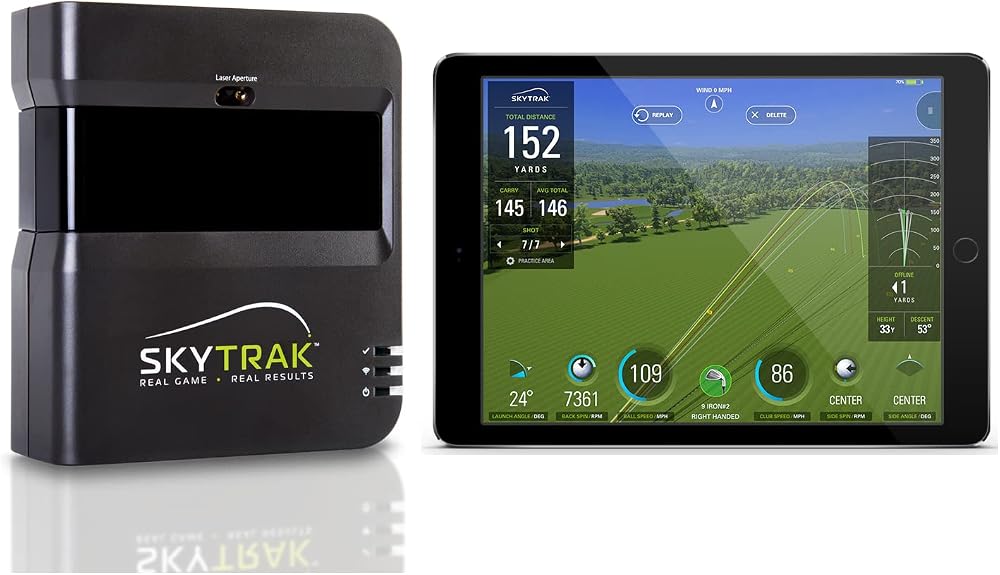
SkyTrak+ launch monitor beside a tablet showing shot data

The beside-ball camera example. A photometric camera system with dual Doppler radar that sits beside the ball, so it needs no space behind you: SkyTrak's own minimum room is 10 ft wide by 10 ft deep. It measures club path and face angle with no stickers. The unit moves to the other side for a left-handed golfer.

  • Placement: beside the ball (SkyTrak setup guidance)
  • Measured club data: path, face angle, face to path
  • Indoor and outdoor use

Product data last checked 2026-10-23. Prices are shown only on the merchant's own page.
What we like: SkyTrak+ (ST+)

  • Fits rooms radar cannot: nothing sits behind the golfer
  • Club data measured, not estimated, at a mid price

What could be better: SkyTrak+ (ST+)

  • Membership plan needed for course play features
  • Moves sides when a left-handed golfer plays

GoSports Golf Simulator Impact Screen

GoSports

Research based comparison
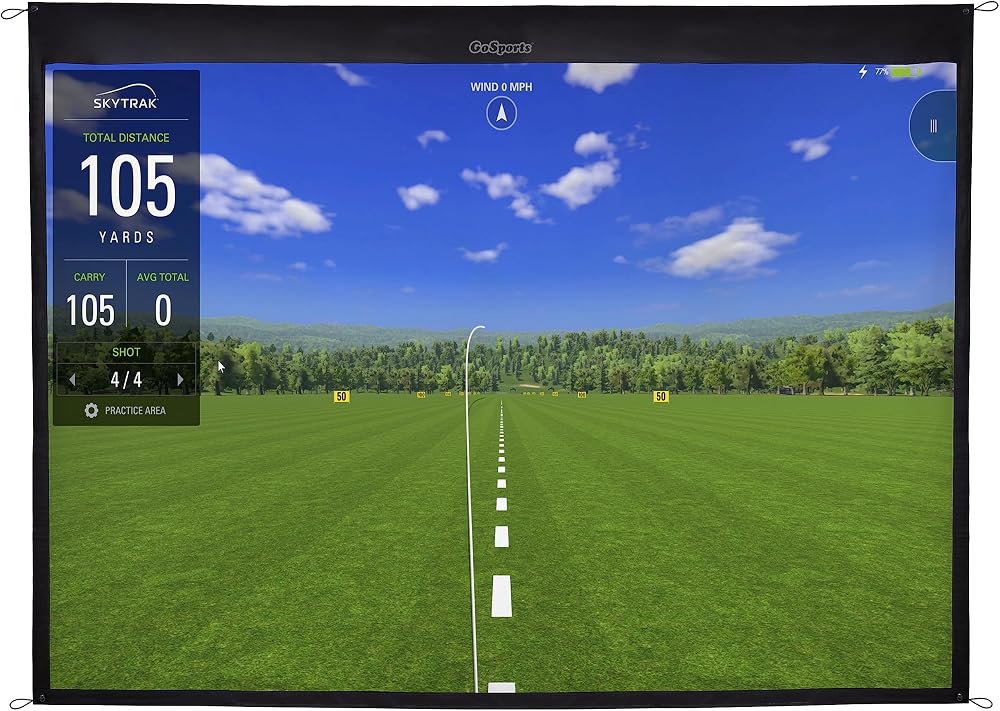
GoSports golf simulator impact screen showing a virtual driving range

The entry screen example. A woven polyester impact screen with grommets for hanging in a frame or enclosure, sold in several sizes (the listing shown is the 7 ft class). Hang any impact screen with clearance behind it: Carl's Place's manuals put the gap at 6 to 12 inches for standard enclosures and 12 to 16 inches for pro enclosures.

  • Several sizes; match the size to the screen calculator's class
  • Grommeted edges for bungee mounting
  • Projection surface and ball stopper in one

Product data last checked 2026-10-23. Prices are shown only on the merchant's own page.
What we like: GoSports Golf Simulator Impact Screen

  • Cheapest way to a projected image
  • Replaceable when the hitting zone wears

What could be better: GoSports Golf Simulator Impact Screen

  • Single layer screens are louder and bounce more than premium triple layer screens

BenQ TK700STi 4K Gaming Projector

BenQ

Research based comparison
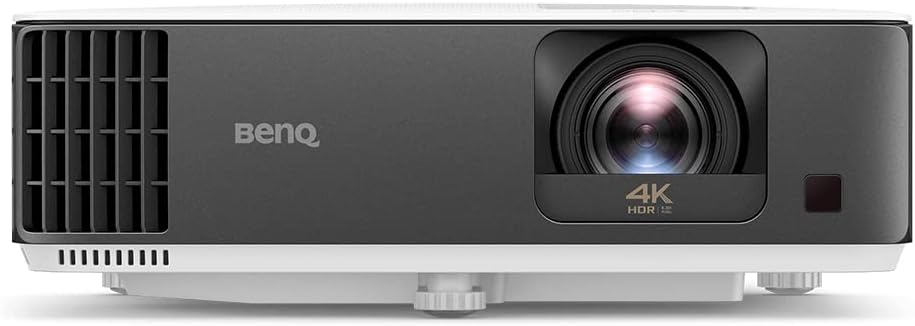
BenQ TK700STi 4K projector, front view

The projector example named in the throw calculator. A 4K gaming projector with a short throw lens (about 0.90 to 1.08 to 1 by BenQ's specification), 3,000 lumens class brightness and low input lag. Run your image width through the projector calculator before choosing any projector: throw ratio, not resolution, decides whether it fits your room.

  • Throw ratio about 0.90 to 1.08 to 1 (BenQ specification)
  • 4K UHD, gaming input lag modes
  • Ceiling mountable

Product data last checked 2026-10-23. Prices are shown only on the merchant's own page.

What we like: BenQ TK700STi 4K Gaming Projector

  • Short enough throw for most simulator rooms
  • Bright enough for a lit garage with the lights dimmed

What could be better: BenQ TK700STi 4K Gaming Projector

  • Longer throw than ultra short throw models, so check the shadow result

How the planner chains the tools

The planner runs the same engines as the five individual tools, in build order. Room fit first (verdicts per monitor class from the manufacturers' setup segments), then screen size from your width and ceiling, then projector throw and the shadow check from your hitting distance, then the monitor finder on your budget and priorities, then the cost bands split into phases: Phase 1 playable is monitor, screen and mat; Phase 2 comfort is projector and computer; Phase 3 premium is software. No phase contains a hidden item: every line traces to one of the five tools, each with its own page and sourcing.

Worked examples

The garage plan

18 x 13 x 9.5 ft garage, mid tiers, club data priority.

Camera class fits comfortably; Phase 1 $2,400 to $5,100 gets you hitting, full build $4,400 to $9,000

The radar plan

20 ft deep room, entry monitor tier.

Radar fits with depth to spare; Phase 1 starts at the entry monitor band, about $450 to $700

The blocked plan

12 ft deep basement, 8.5 ft ceiling.

The plan says so plainly: no class fits, and it names depth and ceiling as the blocks instead of selling you a setup that cannot work

Frequently asked questions

Why phases instead of one shopping list?
Because most builds are funded in stages, and the order matters: a monitor, screen and mat already make a playable simulator with a TV. The projector and computer make it immersive, and paid software makes it complete. Buying in this order means every stage leaves you with something that works.
Can I share or print my plan?
Yes. The page link carries your answers, so sending the link reopens the same plan. The print view drops the site furniture and keeps the verdicts, the phase list and the totals.
The planner and the individual tools disagree. Which is right?
They run the same engines, so a disagreement means an input differs: the planner takes the room width and ceiling as the screen's wall, for example, while the screen tool lets you enter a smaller usable wall. Use the individual tool's figure where you have measured more precisely.

Related tools

Disclaimer: Estimate only. Verdicts follow the manufacturers' published setup figures; test-swing in the room before you buy anything.

Use this tool on your own site

Free to embed. Paste this code where you want the tool to appear. It carries a small credit link, which is all we ask.